
The translation management system has been the unquestioned center of the localization universe for over thirty years. It stored translation memories, managed projects, tracked linguists, processed invoices, and generated reports. It was the hub that everything else revolved around.
But in 2026, that assumption is being challenged from multiple directions. AI agents can now execute complete translation workflows autonomously. LLMs translate with quality that rivals human translators in many domains. Low-code platforms let teams build custom pipelines without writing a single line of code. And APIs connect any tool to any other tool.
A growing number of teams are asking a question that would have seemed absurd five years ago: what if we didn't need a TMS at all?
This article is not a eulogy for the TMS. It is a practical, honest examination of when a headless approach makes sense, when it does not, and what it takes to build one. Because the real question is not "TMS or no TMS." It is: what is the best architecture for your content, your team, and your budget?
Table of Contents
- What Does "Headless" Mean in Localization?
- The Traditional TMS: Where It Works and Where It Doesn't
- The Headless Approach: Strengths and Limitations
- Building Blocks of a Headless Localization Stack
- Tools That Make Headless Possible Today
- What About Translation Memory? The Vector Database Option
- Cost Comparison: TMS vs Headless Over 3 Years
- The Hybrid Approach: Combining TMS and Headless
- Who Should Choose What?
- FAQ
- Your Next Step
What Does "Headless" Mean in Localization?
The term "headless" comes from the CMS world. A headless CMS separates the content repository (the "body") from the presentation layer (the "head"). You manage content in one place and deliver it through APIs to any frontend: website, mobile app, smart display, or VR headset.
Applied to localization, headless means separating the orchestration of your translation workflow from the tool where that workflow runs. Instead of one monolithic TMS that tries to do everything, you use specialized components connected by APIs. Each component does one thing well: routing, translation, caching, review, quality checks, and delivery.

The key insight is that a headless stack is not "no TMS." It is a different architectural philosophy. The TMS was designed for a world where content was finished before translation began, files were handed off manually, and every project had a beginning and an end. The headless stack is designed for a world where content streams continuously, AI handles the heavy lifting, and human expertise focuses on quality stewardship rather than process management.
Key distinction: A headless approach does not eliminate project management, translation memory, or human review. It re-architects them as independent services rather than features of a single platform. You keep what you need and replace only what does not work.
The Traditional TMS: Where It Works and Where It Doesn't
Before deciding whether to go headless, it is worth being honest about what the TMS still does better than any alternative. The TMS has not survived for thirty years by accident.
Where TMS shines
- ✅ Translation Memory management at scale. For content with high repetition rates (technical documentation, software strings, EULAs), the TM in a TMS is extremely cost-efficient. ICE matches and 95-100% fuzzy matches cost nothing to reuse. A well-maintained TM can reduce translation costs by 40-60% for repetitive content.
- ✅ Integrated review workflows. A TMS gives linguists, project managers, and reviewers a single interface. No context switching, no file shuffling, no emails with attachments. For teams with 10+ linguists, this integration alone can justify the cost of the platform.
- ✅ Out-of-the-box reporting. Stakeholders want to see progress, cost per word, language coverage, and quality metrics. A TMS provides these dashboards without any engineering work.
- ✅ Mature ecosystem. Decades of integrations, connectors, established processes, and a workforce trained on the tools. Finding a freelance linguist who knows Trados or Phrase is trivially easy.
Where TMS falls short
- ❌ Fixed licensing costs. You pay per seat, whether those seats are active or not. For teams where usage fluctuates, this means paying for capacity you do not use. A team of 10 licensed users might only need 3 active on most days, but the bill is for all 10.
- ❌ Vendor lock-in. Your translation memories, glossaries, and project history live in the TMS vendor's database. Migrating out is expensive, technically painful, and rarely complete. This creates a strong disincentive to switch, even when the tool no longer meets your needs.
- ❌ Slow to adopt new AI capabilities. When a new LLM achieves state-of-the-art quality for your language pair, you have to wait for your TMS vendor to integrate it. That wait can be months or years. In a field where the state of the art changes every few weeks, this is a real constraint.
- ❌ Overhead for small, fast projects. Setting up a TMS project for a quick one-off translation (a press release, a support article, a product update) takes longer than the translation itself. The process was designed for projects, not for continuous content streams.
Slator 2024 survey: 48% of localization buyers say their TMS "needs improvement." Only 16% are fully satisfied. This is not a crisis, but it is a clear signal that the one-size-fits-all TMS is not working for a significant portion of the market.
The Headless Approach: Strengths and Limitations
Now let us look at the other side. A headless stack has compelling advantages, but it is not a magic solution.
Where headless wins
- ✅ Full flexibility. You are not bound by any vendor's roadmap or UI decisions. Build the exact workflow your content needs, integrate the best AI model available today, and change it tomorrow without asking permission.
- ✅ Pay-as-you-go pricing. No annual licenses. You pay for API calls, tokens, and storage. This scales naturally with actual usage, not with the number of users you licensed.
- ✅ AI-native by design. A headless stack can integrate any LLM immediately. When a better model appears, you swap a single API endpoint instead of waiting for a TMS update cycle.
- ✅ Data ownership. Your translation memories, glossaries, and project data live in your infrastructure: your database, your vector store, your object storage. No third party holds your data hostage.
- ✅ True scalability. Serverless architecture means you can handle 1,000 words or 10 million words with the same setup. Scale is determined by your API budget, not your license count.
Where headless falls short
- ❌ Requires technical skills. Someone on the team needs to build and maintain the pipeline. This can be a developer, a tech-savvy project manager using low-code tools, or an external consultant. But it is not zero-code for most teams.
- ❌ No built-in TM cache. In a headless stack, every translation is an API call. Without a translation memory layer, repeated sentences consume tokens every time. This needs a deliberate solution (we cover this in section 6).
- ❌ No integrated dashboard. You lose the out-of-the-box reporting that stakeholders expect. Building custom dashboards is possible but requires effort (Grafana, Metabase, or even Google Sheets).
- ❌ Upfront investment. Building the pipeline costs time and money before it saves anything. The break-even point depends on your volume and team size.
Building Blocks of a Headless Localization Stack
If you decide to explore a headless approach, here are the components you will need to assemble. Each one can be implemented at different levels of sophistication depending on your team's skills and budget.
1. The Orchestrator
The orchestrator is the brain of the headless stack. It decides what happens to each piece of content: which engine processes it, when a human reviews it, and where the result goes. It handles routing, error recovery, retries, and logging. Specialized platforms like Blackbird and bilAI are emerging as purpose-built orchestration layers that connect localization tools, LLMs, and review workflows without requiring a full TMS.
Options range from low-code platforms like Make (formerly Integromat) and Zapier, which require no coding, to open-source workflow engines like n8n (self-hosted, highly customizable), to fully custom orchestrators built with LangChain, LlamaIndex, or Node.js. The right choice depends on your team's technical comfort zone and the complexity of your workflows.
2. Translation Engines
One of the biggest advantages of a headless stack is the freedom to use multiple engines and route content based on type, language pair, quality requirements, and budget.
A typical routing strategy might look like this: marketing content with high creative requirements goes to Claude or GPT-4 for maximum quality; technical documentation and product copy goes to DeepL Pro for the best cost-quality balance; UI strings and short text go to cheaper models like Claude Haiku or GPT-4o Mini; and speech or audio content uses Whisper for transcription combined with any text model for translation.
3. The Human Review Interface
This is the hardest piece to replace from a TMS. A TMS provides linguists with a dedicated interface for reviewing translations in context, adding comments, and approving or rejecting segments. Without a TMS, you need an alternative.
Options ranked by effort: A custom web interface built with Next.js and Supabase (3-5 days of development) gives you full control. Google Docs with a synchronization script works for small teams. Some teams use TMS-like platforms such as Smartcat or Lokalise exclusively for the human review loop, while everything else is handled through their headless pipeline. And for very small teams, even a shared spreadsheet with tracked changes can work as a starting point.
4. QA and Validation
Without the built-in QA checks of a TMS, you need to implement them yourself. This can actually be an advantage: you decide exactly what checks matter, rather than accepting the TMS vendor's defaults.
Common QA layers: Automated regex checks for placeholders, tags, and formatting; glossary validation via keyword or vector matching; inconsistency detection across segments; length and character-limit validation for UI strings; and automated flagging of suspicious segments for human review.
5. Dashboard and Reporting
For teams that need reporting, alternatives to the TMS dashboard include Grafana or Metabase connected to your API logs, a simple Google Sheet populated by a script, or a Supabase dashboard if you are already using it as your database layer.
Tools That Make Headless Possible Today
One of the most interesting developments in localization technology is the emergence of tools designed specifically for modular, API-first workflows. These are not TMS replacements in the traditional sense. They are building blocks that let you create exactly the workflow you need.

Blackbird.io
Blackbird is a low-code integration platform designed specifically for the language industry. Think of it as Zapier for localization, but much more powerful. It connects apps like Crowdin, Phrase, DeepL, GitHub, and many others, allowing you to build custom automation flows that would otherwise require TMS-based workflows. If you want a headless setup but need pre-built connectors for localization tools, Blackbird is one of the most practical starting points.
BeLazy
BeLazy automates repetitive localization tasks by connecting directly to your Git repository. It detects content changes, creates translation jobs automatically, and pushes results back. It is particularly useful for teams that manage content in Git and want a lightweight automation layer between their codebase and their translation tools. It sits between your CMS and your translation engines, acting as the glue that removes manual handoffs.
Make (formerly Integromat) and Zapier
The general-purpose automation platforms have matured to the point where they can handle significant localization workflows. With Make or Zapier, you can: trigger translation jobs when content is published in your CMS; send content to DeepL or GPT APIs for translation; store the results in a database or vector store; notify reviewers via email or Slack; and sync the translated content back to the source. All without writing code. For teams that want headless flexibility without heavy development, this is often the quickest path.
Crowdin as a Headless TMS
This is an interesting case because it blurs the line between TMS and headless. Crowdin is a TMS, but its API-first architecture lets you build custom solutions on top of it while still benefiting from its built-in TM, collaboration features, and QA tools. Our developer Daniel Collado recently built a custom subtitling application using the Crowdin API, GitHub, and Render CI that downloads videos from streaming platforms, edits subtitle segments, and exports SRT files. It uses Crowdin under the hood for TM and collaboration, but the workflow is entirely custom.
The takeaway is that Crowdin shows how the line between "TMS" and "no TMS" is increasingly blurry. A modern, API-first TMS can serve as a component in a headless stack rather than competing with it.
What About Translation Memory? The Vector Database Option
One of the most common concerns about going headless is what happens to years of accumulated translation memories. Companies that have been translating for years or decades have a valuable asset: thousands or millions of segments representing significant investment in quality and consistency. The fear is that going headless means losing this asset.
The solution is a vector database used as a TM cache. Here is how it works.
From TMX to Vectors
You export your existing TMX files from your TMS. Each segment (source + target) is converted into a numerical representation called an embedding. These embeddings are stored in a vector database like Pinecone, Weaviate, or Supabase pgvector. The process is a one-time operation: embedding 500,000 segments costs roughly $1 and takes a few hours.
How the Vector TM Works at Runtime
When a new segment arrives for translation, the workflow looks like this:
- The system converts the incoming source segment into an embedding.
- It searches the vector database for semantically similar segments.
- If a match above 95% confidence is found (semantic match, not exact character match), the existing translation is reused. Zero tokens consumed.
- If a partial match (75-94%) is found, the existing translation is provided as few-shot context to the LLM, improving quality and reducing token usage.
- If no match is found, the LLM translates from scratch, and the result is stored in the vector database for future matches.
Semantic Matching vs. Traditional Fuzzy Matching
This is the crucial difference. Traditional TMs use character-based fuzzy matching. Two sentences with the same meaning but different word order or synonyms will produce a low fuzzy match score (or no match at all). A vector database uses semantic similarity: it understands the meaning of the sentence, not just the sequence of characters.
Consider these two sentences: "Please click the button to download your file" and "To download your file, click the button." A traditional TM sees these as different strings with a modest fuzzy match. A vector database recognizes they mean the same thing and returns them as a high-confidence match.
"Semantic matching turns your historical translation data into a smarter, more reusable asset. The TM you already have becomes more valuable, not less, when moved to a vector database."
Cost and Feasibility
A vector database like Pinecone costs approximately $70 per month for 500,000 vectors. The one-time embedding cost is negligible (around $1 per 500K segments). This is significantly cheaper than most TMS licensing fees for the TM storage alone.
It is important to note that for content with extremely high repetition rates (exact matches in technical documentation, EULAs, software strings), a traditional TM is still more cost-efficient because exact lookups are free and instant. A vector database complements the TM by handling semantic matches that the TM would miss. The best approach is often both: use the TM for exact matches and the vector DB for fuzzy and semantic matching.
Important nuance: The vector database is one approach to solving the TM problem in a headless stack. It is not the only approach, and it is not required for every team. Smaller teams can simply use a TM server via API (keeping their existing TMS as a TM repository) or rely on the LLM's built-in capacity for consistency. The vector DB is most valuable for teams with large volumes of historical translation data that want to activate it in a headless workflow.
Cost Comparison: TMS vs Headless Over 3 Years
Let us put real numbers on the table. This comparison assumes a team of 10 users processing approximately 1 million words per year. Your numbers may vary significantly based on your specific needs and geography.
The headless approach becomes more cost-effective from approximately 15 users or 1 million words per year. Below that threshold, the development cost of building the pipeline may not be justified unless the flexibility advantages are valuable enough on their own.
Above that threshold, the savings come from two sources: eliminating per-seat licensing in favor of usage-based pricing, and the ability to use cheaper AI models for content that does not need top-tier quality. A headless stack lets you route 30% of your content to a low-cost model and only pay premium rates for the content that genuinely needs it. A TMS typically charges the same per-seat fee regardless of how you use it.
The Hybrid Approach: Combining TMS and Headless
Most teams do not need to choose between all-TMS or all-headless. The most common and practical approach is hybrid: keep the TMS for what it does best, build a headless pipeline for everything else.

A typical hybrid configuration looks like this:
- Automated translation via API: Content is routed through Make or n8n to DeepL or an LLM, then stored in a vector DB for reuse. This handles the bulk of repetitive and low-complexity content without ever touching the TMS.
- TMS for human review only: When content needs a linguist's eyes (creative copy, sensitive documents, quality assurance), it is sent to the TMS as the review interface. The TMS is no longer the orchestrator, just the editor.
- Vector DB as TM supplement: The vector database handles semantic matching and contextual retrieval. The TMS TM handles exact and fuzzy matches for segments that go through human review.
- Custom dashboard: A lightweight dashboard (Grafana, a simple web app, or even a Google Sheet) pulls metrics from both the headless pipeline and the TMS API to give stakeholders a unified view.
This hybrid architecture is surprisingly common among teams that have migrated away from pure TMS dependency. They keep the TMS license for the review team while building their own pipeline for the rest. The TMS becomes a component in a larger system, rather than the system itself.
Who Should Choose What?
There is no universal answer. The right approach depends on your team, your content, and your technical capability. Here is a practical guide.
FAQ
Do I need to know how to code to build a headless localization stack?
Not necessarily. With low-code platforms like Make, Zapier, or Blackbird, you can build functional pipelines without writing code. For more complex setups integrating multiple LLMs, vector databases, and custom review interfaces, some development skills are helpful. Many teams start with a low-code orchestrator and add custom components over time.
What happens to my existing translation memories if I go headless?
You have options. You can export your TMX files and import them into a vector database (section 6 covers this in detail). You can keep your existing TMS running as a TM server and access it via API. Or you can use the TMS exclusively for TM storage while building everything else around it. Your TMs are not lost; they are migrated or accessed differently.
Can I use a headless approach with my existing CMS?
Yes. In fact, headless localization works best with modern, API-first CMS platforms like Sanity, Contentful, Strapi, or even WordPress with the REST API. The CMS sends content to your orchestrator via webhook, the orchestrator processes it through the pipeline, and the translated content is pushed back automatically.
Is a headless stack more expensive than a TMS?
It depends on your volume and team size. For teams under 10 users and under 500,000 words per year, a TMS is likely cheaper and easier. Above those thresholds, a headless stack often becomes cost-competitive, particularly when you factor in the flexibility to use cheaper models for lower-priority content. The cost comparison in section 7 shows detailed numbers.
What is the hardest part of going headless?
The human review workflow. A TMS provides a polished interface for linguists that is hard to replicate. Teams that underestimate this end up with frustrated reviewers. Our recommendation: invest in the reviewer experience first, even if the rest of the pipeline is basic. If reviewers cannot work efficiently, the quality suffers regardless of how good your AI pipeline is.
Your Next Step: Build the Skills to Design Your Localization Architecture
Whether you choose a TMS, a headless stack, or a hybrid approach, the key skill is understanding how to design localization architecture for your specific context. The right answer depends on your content types, your team capabilities, your budget, and your growth trajectory.
TranslaStars offers two courses that directly address these decisions:

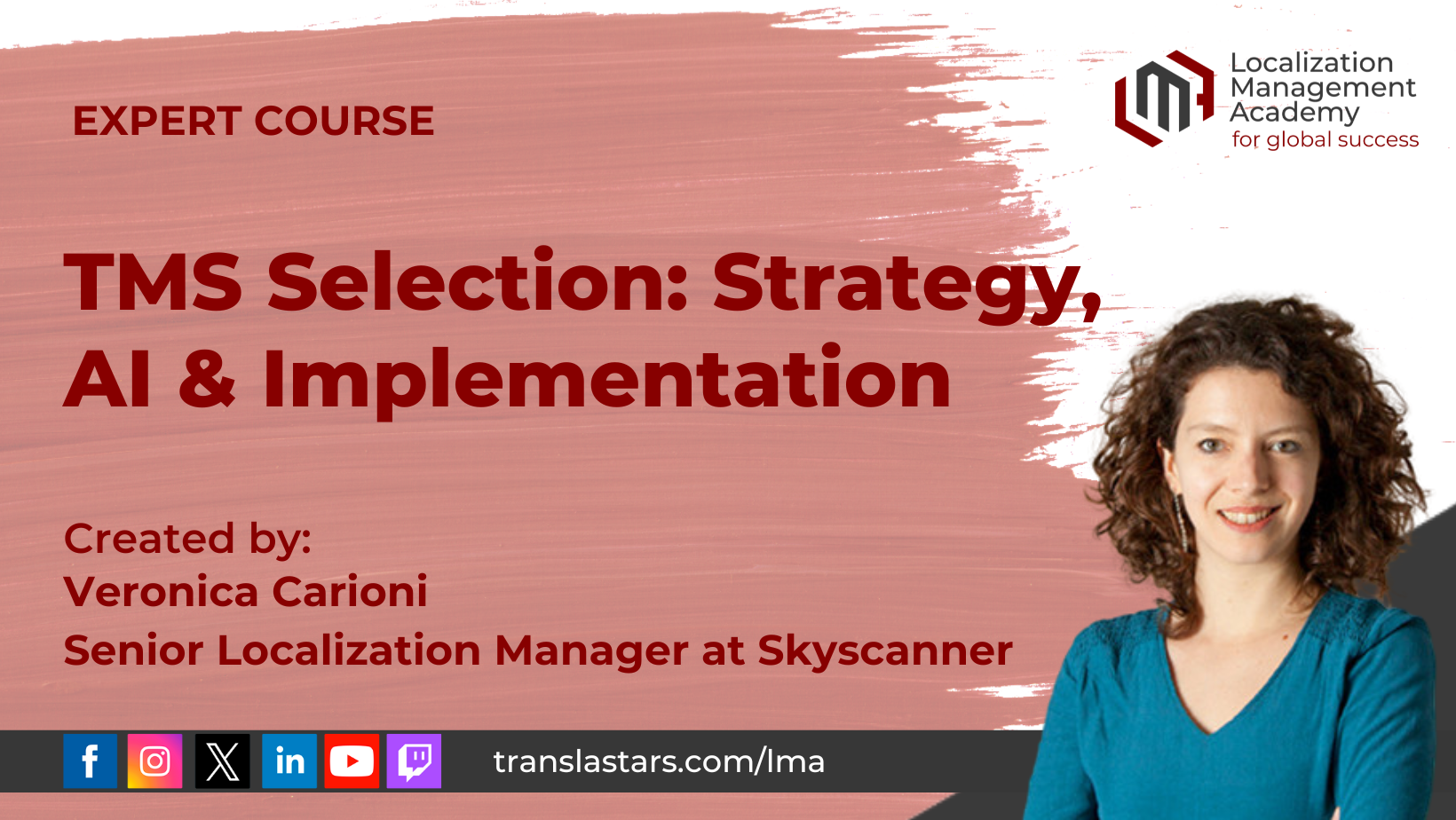
The industry is moving toward more modular, flexible architectures. The teams that thrive will be those that understand both approaches and can choose the right one for each situation.
Ready to Master Localization Technology Strategy?
Learn to evaluate TMS platforms, design headless pipelines, and build hybrid architectures that scale. All TranslaStars courses include lifetime access, practical templates, and expert community support.
Explore TMS Selection Course →
Compare 200+ Tools with the CAT Tool Comparator →




Courses
Free Courses/Resources
LMA
TranslaStars University
Media Library
Contact
Support / Help / Documentation
Data
